Head of Company
- What is Company Head and who is Company Head ?
Company Head is controller or head of all the company and staff. Company Head has every authority to create Home. He can control everything going around but Head of one Company doesn’t have any control over next Company. He or She is unknown about the next Company.
Though the Head of Company is allowed to Add staff and resident of a particular company, it is particularly specified for Head of Company to add Home Head.
Creating Head of Company ?
Head of Company is created by the System Admin.
- Change Password
The default Password for the Head of Company head is provided by System Admin. Head of Company ought to change the default Password.
This is the default view of the Head of Company
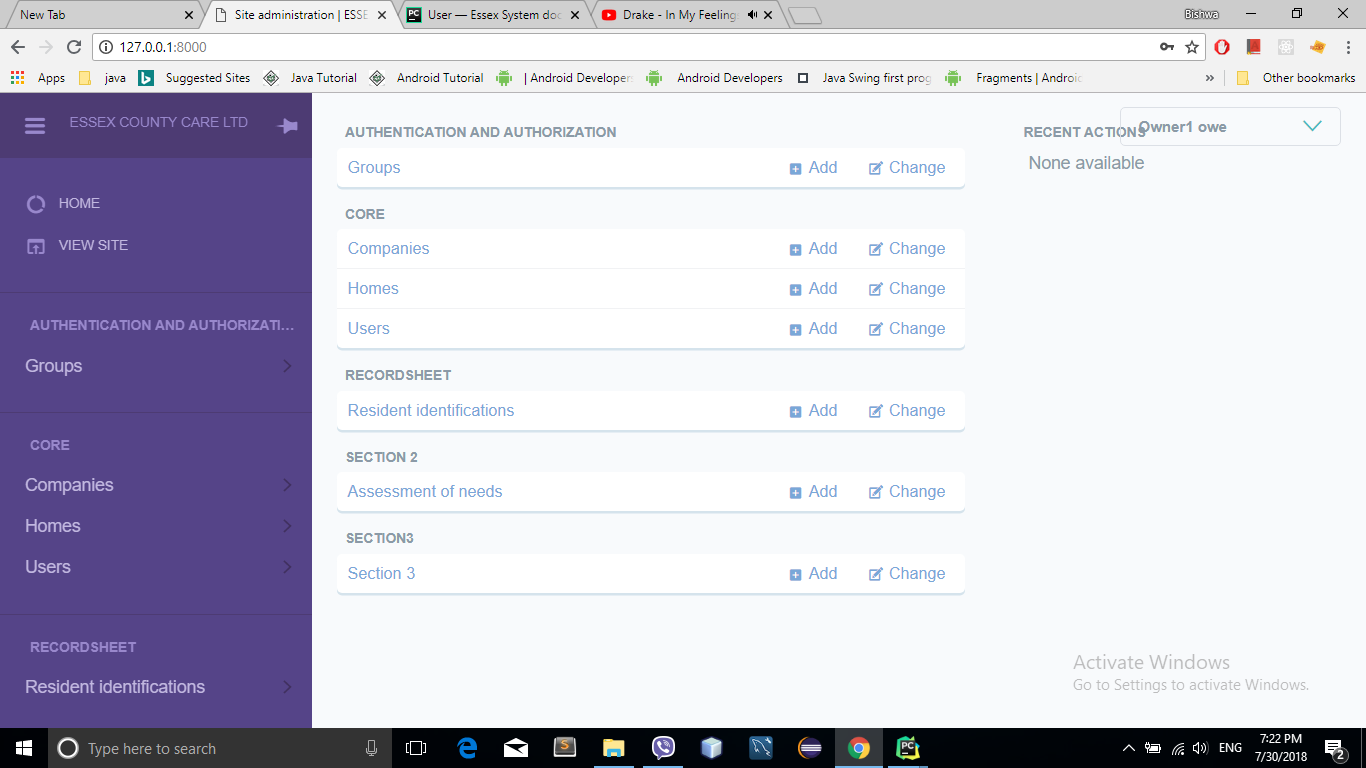
- Follow the below guideline to create the Home :
- Click Add Home as shown by arrow in the below screen shot.
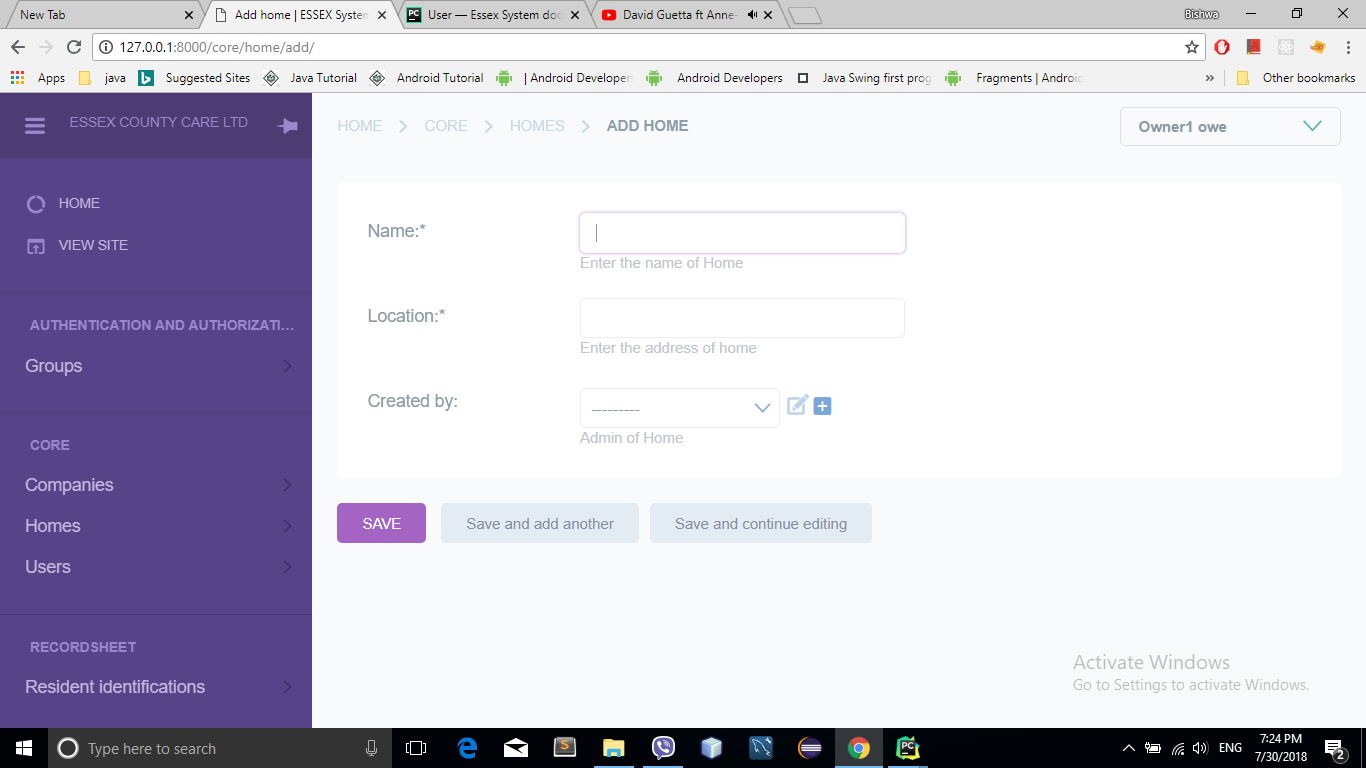
- That page will navigate to the page as shown below in the screen shot.
Add name of Home in the Name field.
Add location of home in the Location field.
Select the owner or home admin who is creating the home or Add Home admin .
Click Save.
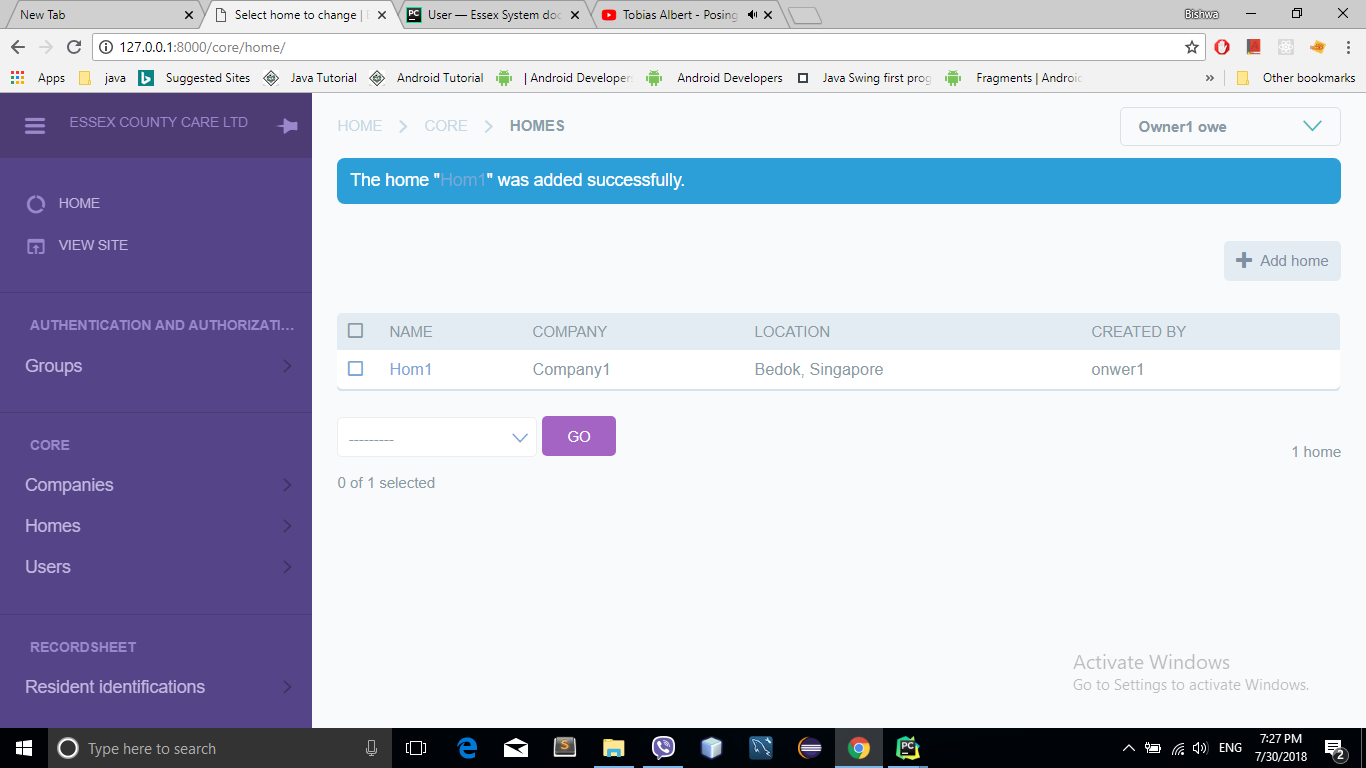
Home created successfully
List of home
Add Home admin
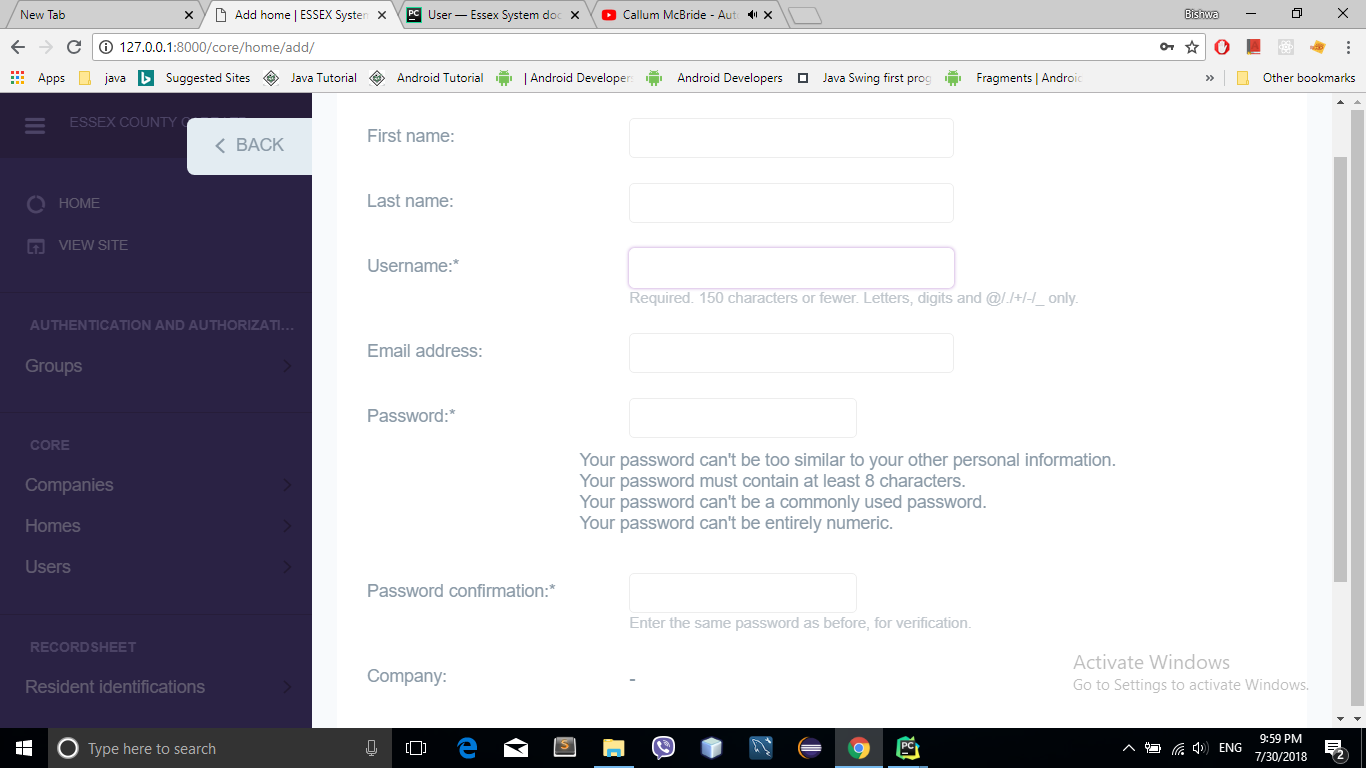
- Add the First name of the Home Admin in First Name field
- Add the Last name of the Home Admin in Last Name field
- Add the Username of the Home Admin in Username field
- Add the Email of the Home Admin in Email address field
- Add the Password of the Home Admin in Password field
- Company is added by default
- Select Home
- Save
Change Password
- Follow the instruction below to Change Password
Click the drop down menu
- Go to Change password
Enter the Old Password in the Old Password field. Old Password is given by default.
Enter the New Password in the New Password field.
Confirm by entering the New Password again in the Confirmation field.
Press the Change my password button.
Congratulation your password is changed successfully.